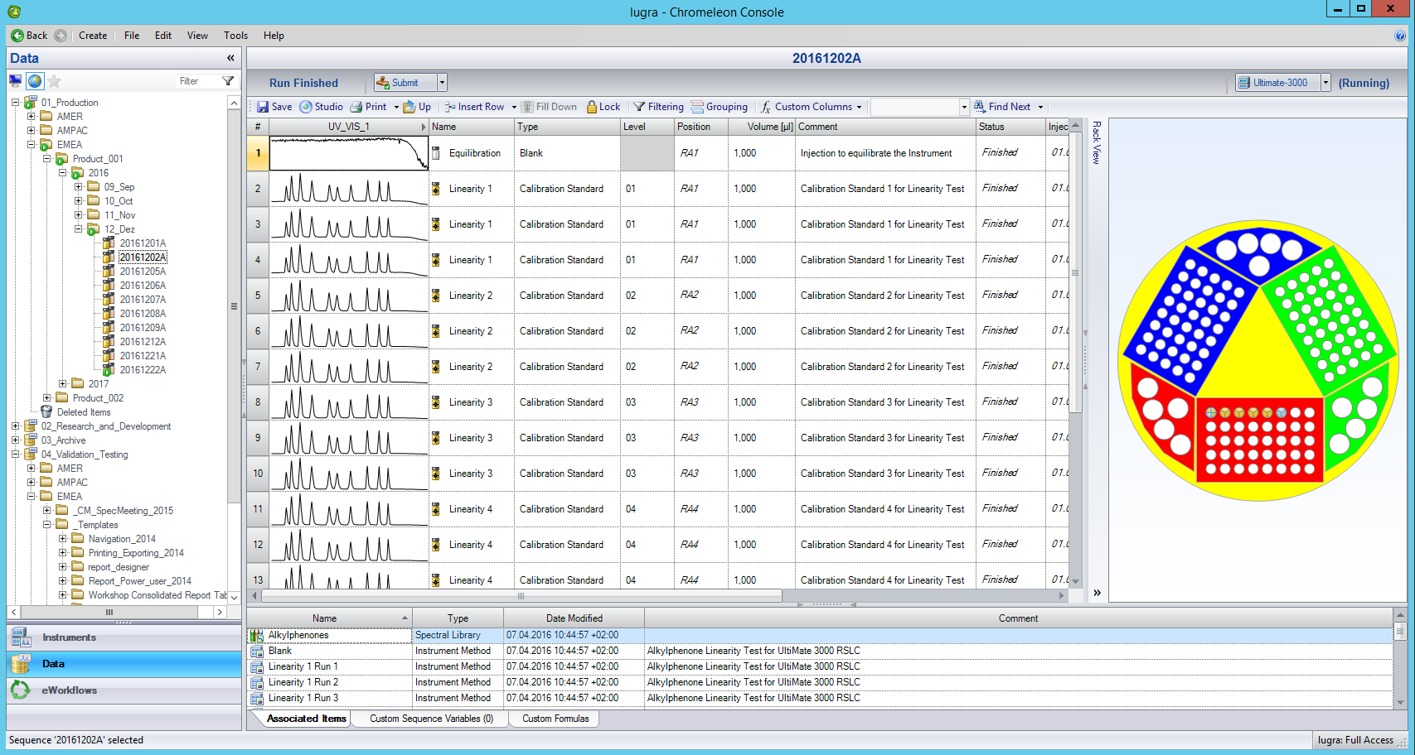
All Chromeleon™ data.
One view.
Q-ChroM makes instruments, utilisation, errors and system health visible in clear Power BI dashboards.
From Chromeleon™ to Q-ChroM
The straightforward dashboard solution for labs, analysts and IT.

PRODUCT BENEFITS
What makes Q-ChroM stand out
Precise analyses, rapid set-up and 100% data security.
Built for Chromeleon™
Direct read access to SQL Server – no data exports.
All Data Vaults in 1 view
Analyse up to 10 vaults centrally and in parallel.
Instant response
Dynamic filters by instrument, period and vault.
Errors & deviations
Spot threshold breaches and conspicuous instruments instantly.
Utilisation compared
Injections, idle times and trends per instrument.
Interrupted sequences
Pinpoint affected methods and sequence stops directly.
System health for IT
RAM, storage, uptime and user status at a glance.
Read-only & lean
100% secure read-only connection, set up in around 30 minutes.
Case Studies
Case 1: Instrument utilisation is not transparent
A medium-sized laboratory operates several instruments at different sites or in different Data Vaults.
Without central analysis, it remains unclear how efficiently the available capacity is being used. Under-utilised instruments go unnoticed, while others are heavily loaded.
Injections, idle times and the instruments' usage over time are displayed side by side.
- Up to 30% less time spent on utilisation analysis
- 3 instruments with surplus capacity were freed up and redeployed to other tasks
- Up to 15% lower operating costs through optimised capacity planning
Case 2: Unusual error rates go unnoticed
Small laboratory: errors on individual instruments are recorded in Chromeleon™ but not compared across instruments.
Without a comparison, instruments with an unusually high number of errors are hard to identify. This makes it harder to prioritise maintenance and contact with the manufacturer.
The error rate is analysed per instrument, compared across instruments and assessed against an individually defined threshold.
- Up to 50% less time spent identifying conspicuous instruments
- Up to 25% faster prioritisation of maintenance work
- Up to 20% less unplanned downtime through early detection of critical trends
Q-ChroM home screen: your gateway to the dashboards
Click a tile to view the dashboard in full size.
Q-ChroMIntelligent Chromeleon Monitoring
Welcome To Q-ChroM
Q-ChroM is a high-performance monitoring interface designed to bridge the gap between Chromeleon™ and actionable data. By providing a live window into your Chromeleon ecosystem, this tool eliminates manual status checks and centralizes technical oversight into a single, streamlined dashboard.
Engineered for Precision. Optimized for Results.
Use the navigation buttons below to access your role-specific Chromeleon™ dashboards.

System Health Dashboard
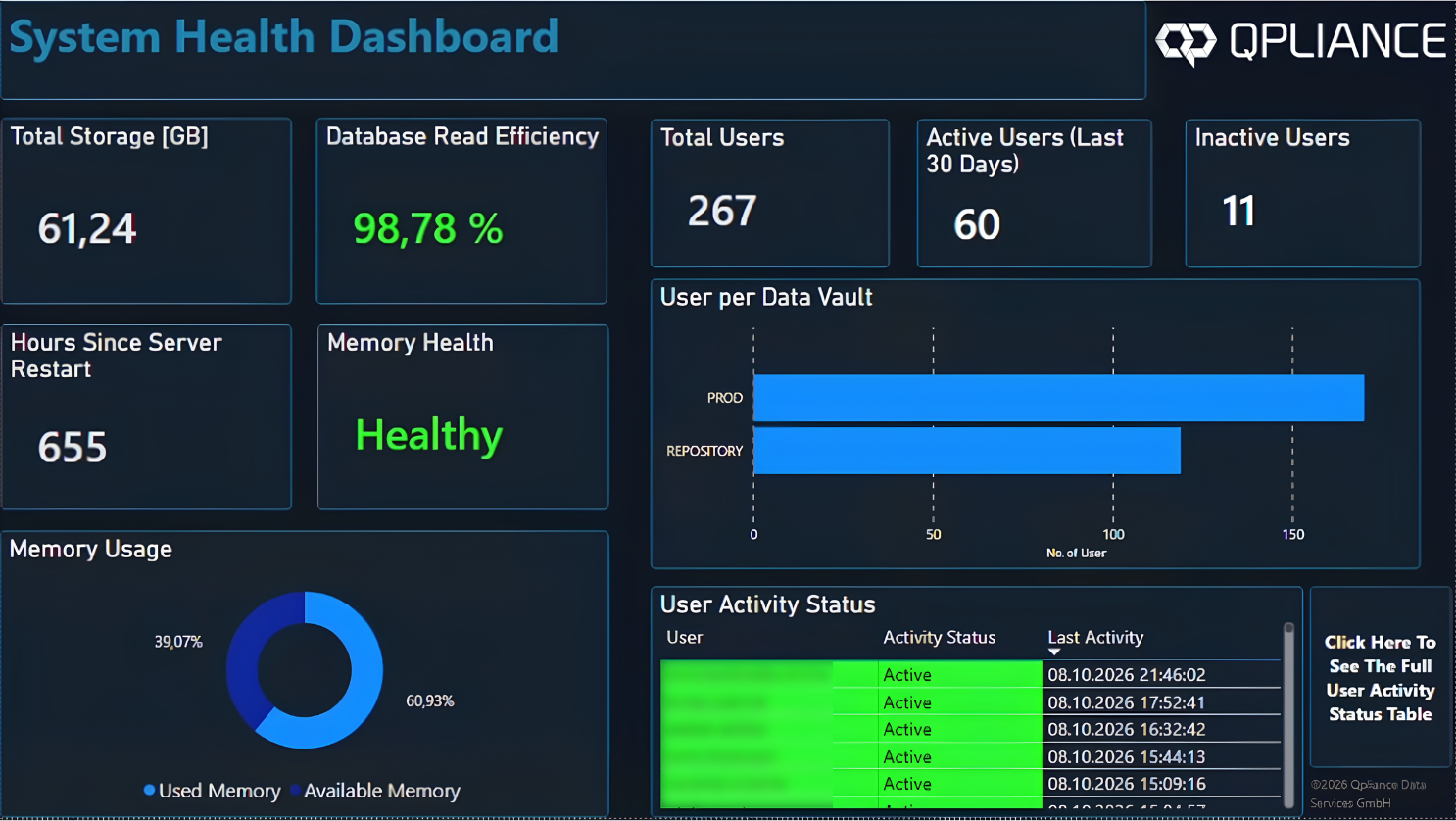
Health of the Chromeleon™ environment for IT: storage, memory, uptime since the last restart, users per Data Vault and user status.
Lab Head Dashboard

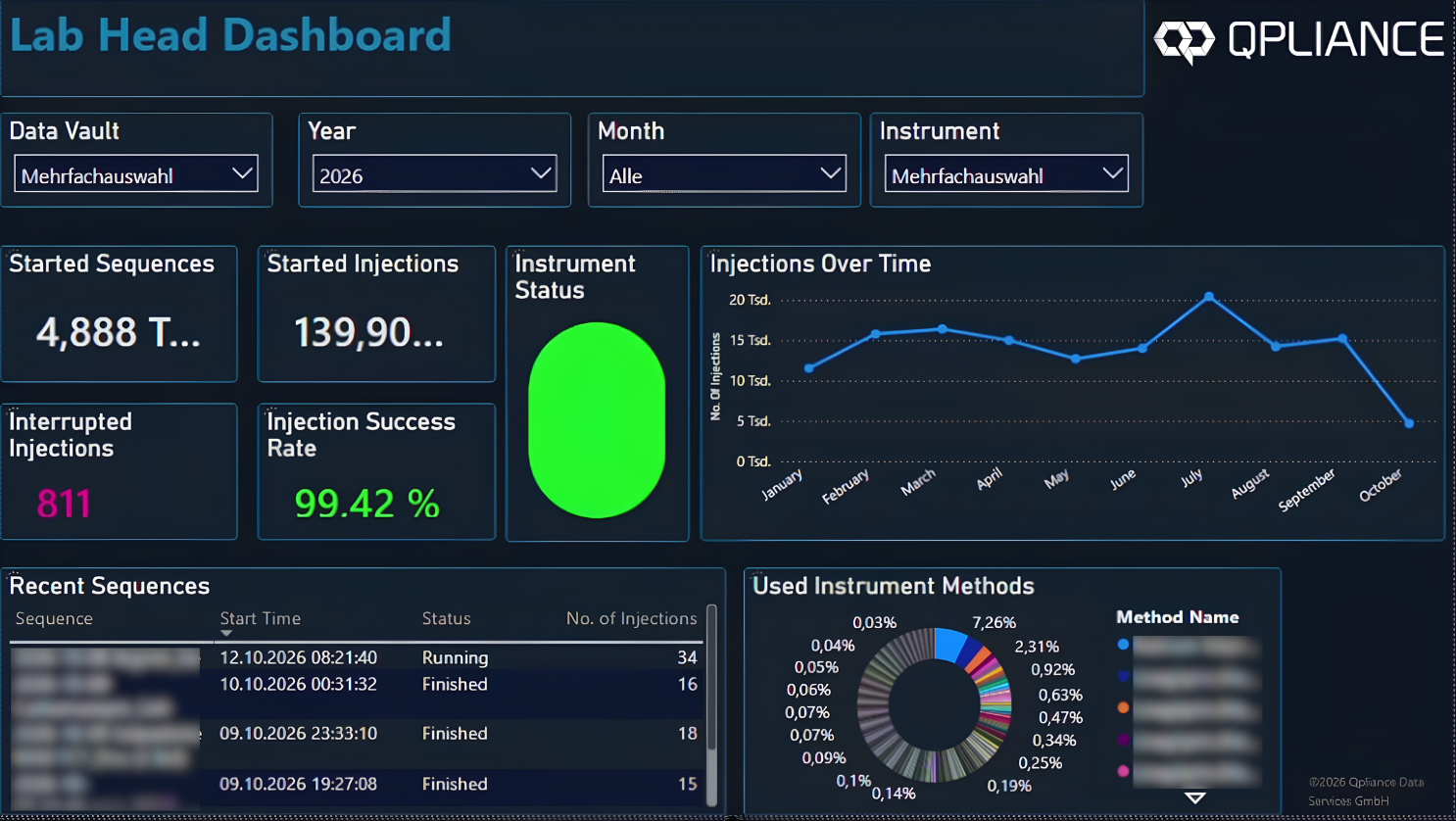
Filter by Data Vault, year, month and instrument. Started sequences and injections, success rate, latest sequences and methods used.
Lab Health Overview
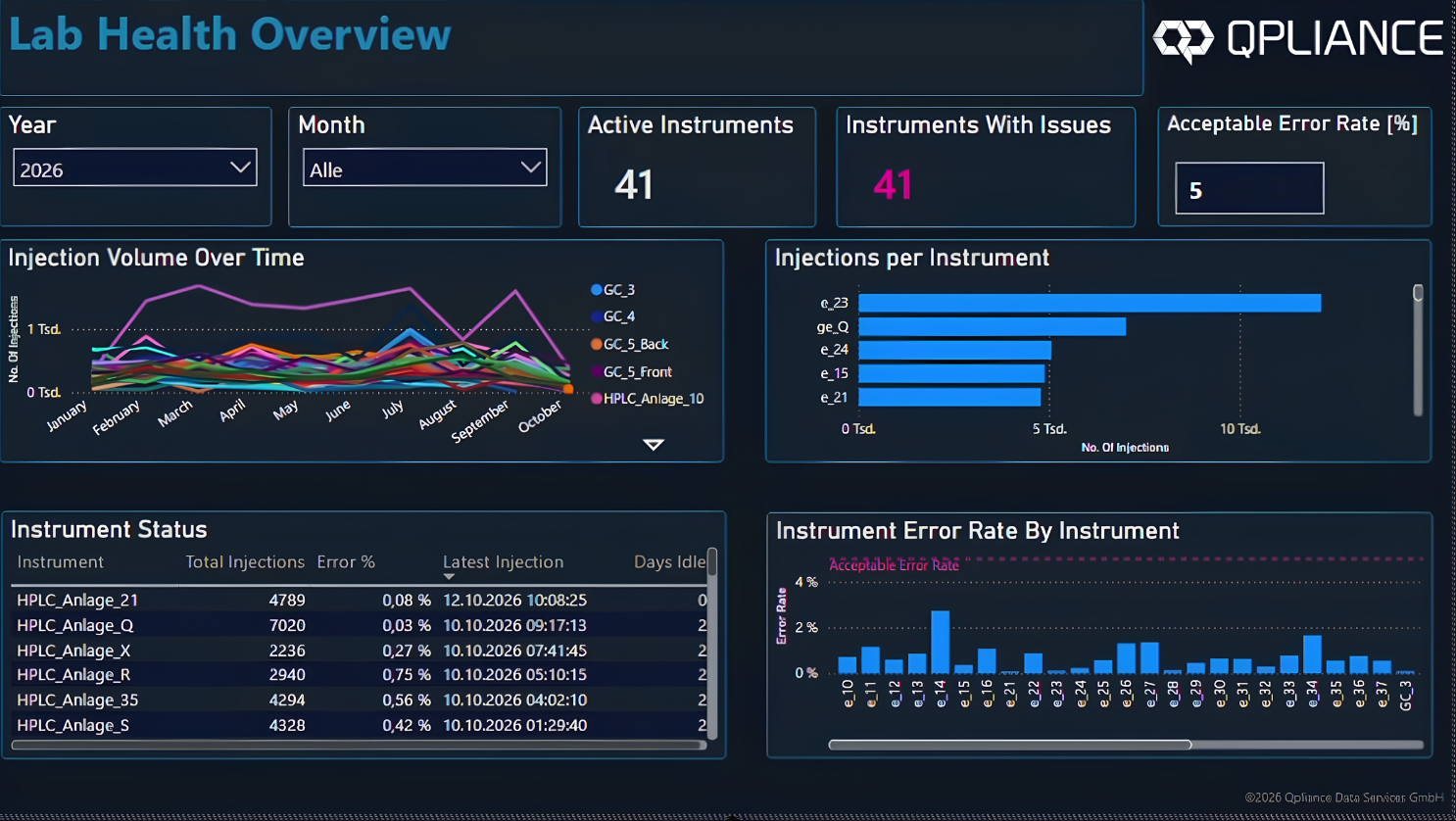
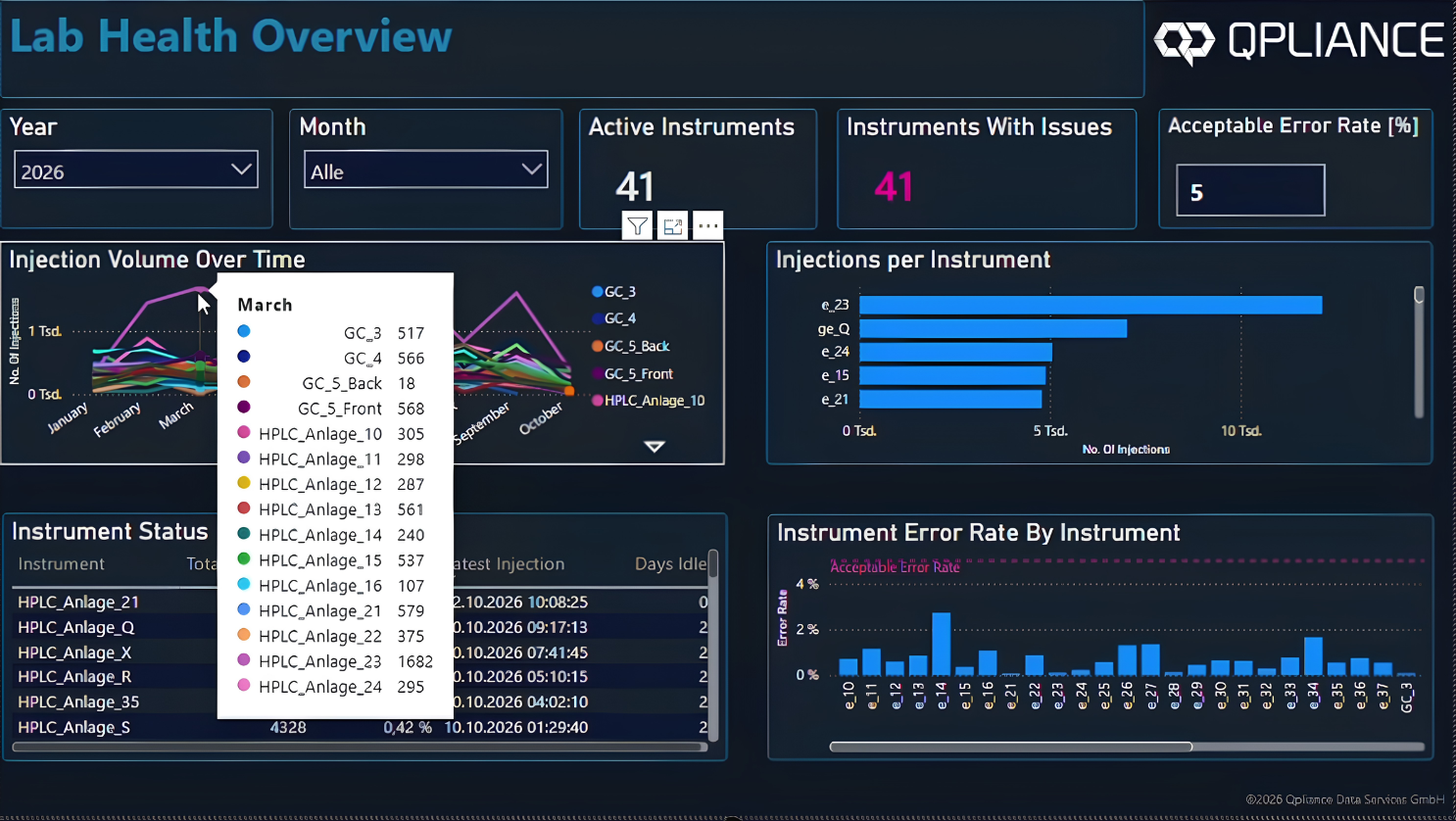
Shows which instruments are active and which show anomalies: injections per instrument and over time, status with idle days, and the error rate per instrument compared with a threshold you define yourself.
Instrument Specific Overview
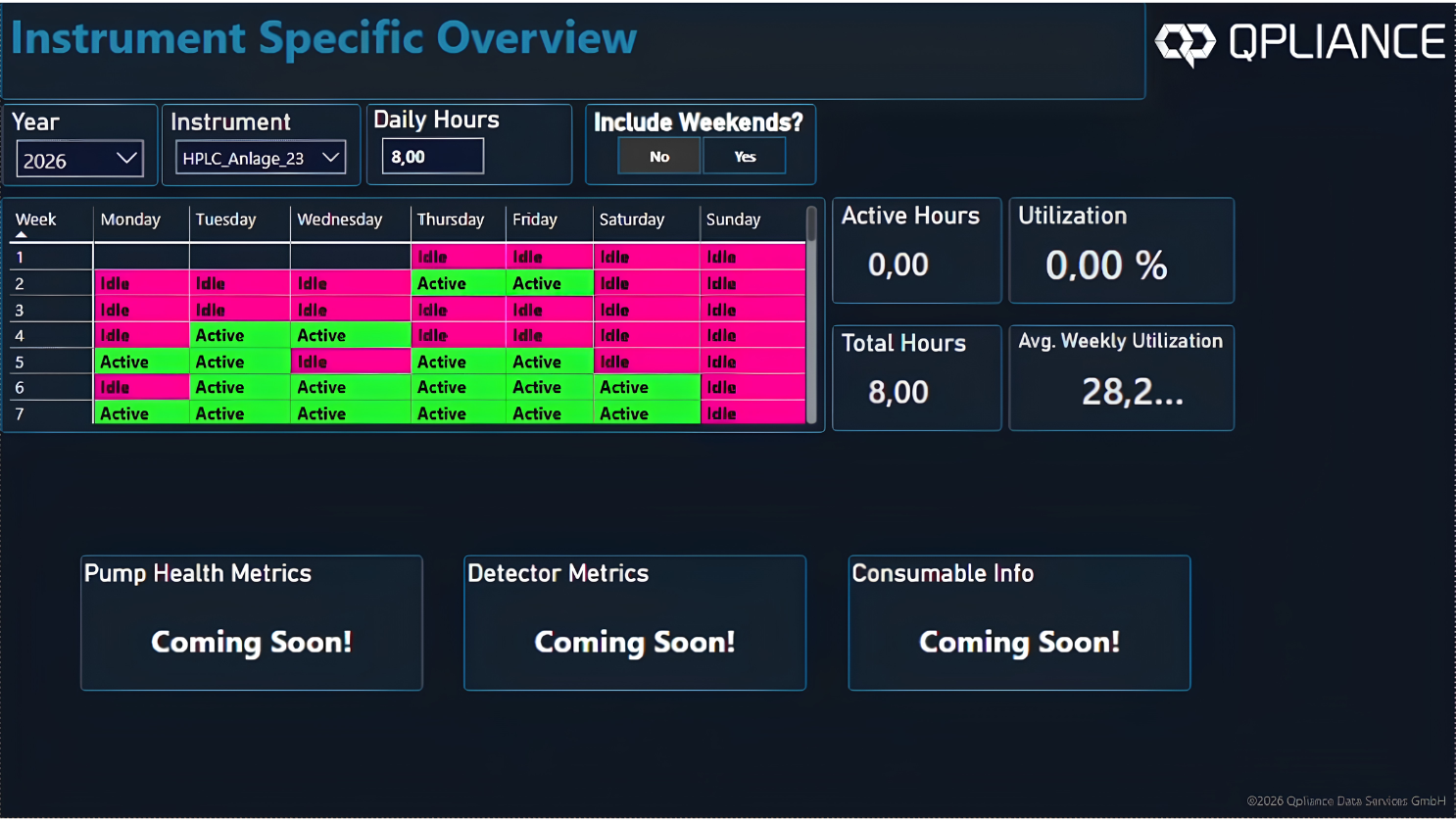
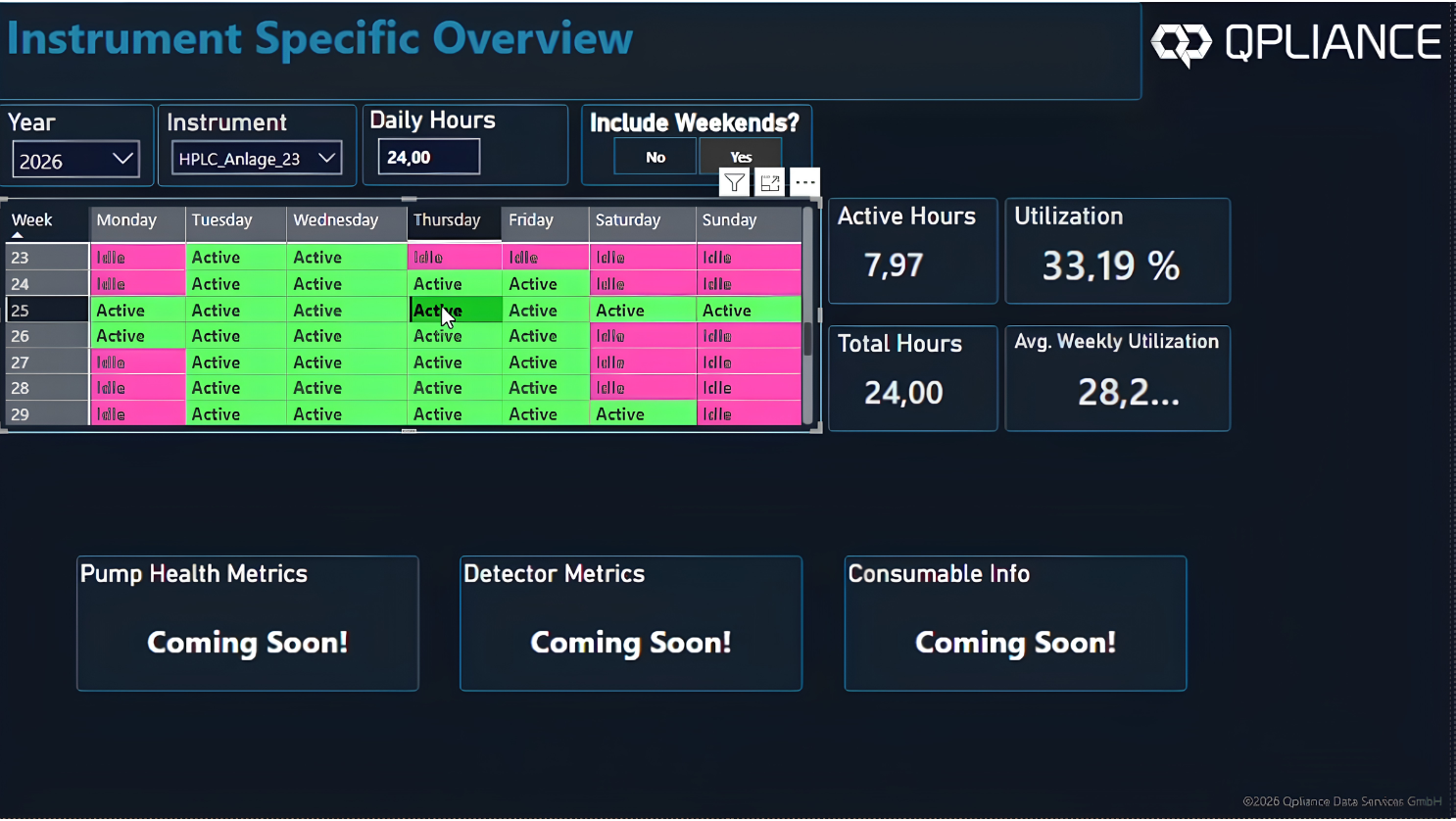
Detailed view of a selected instrument, including weekday idle days in the previous and current month.
Analyst Dashboard
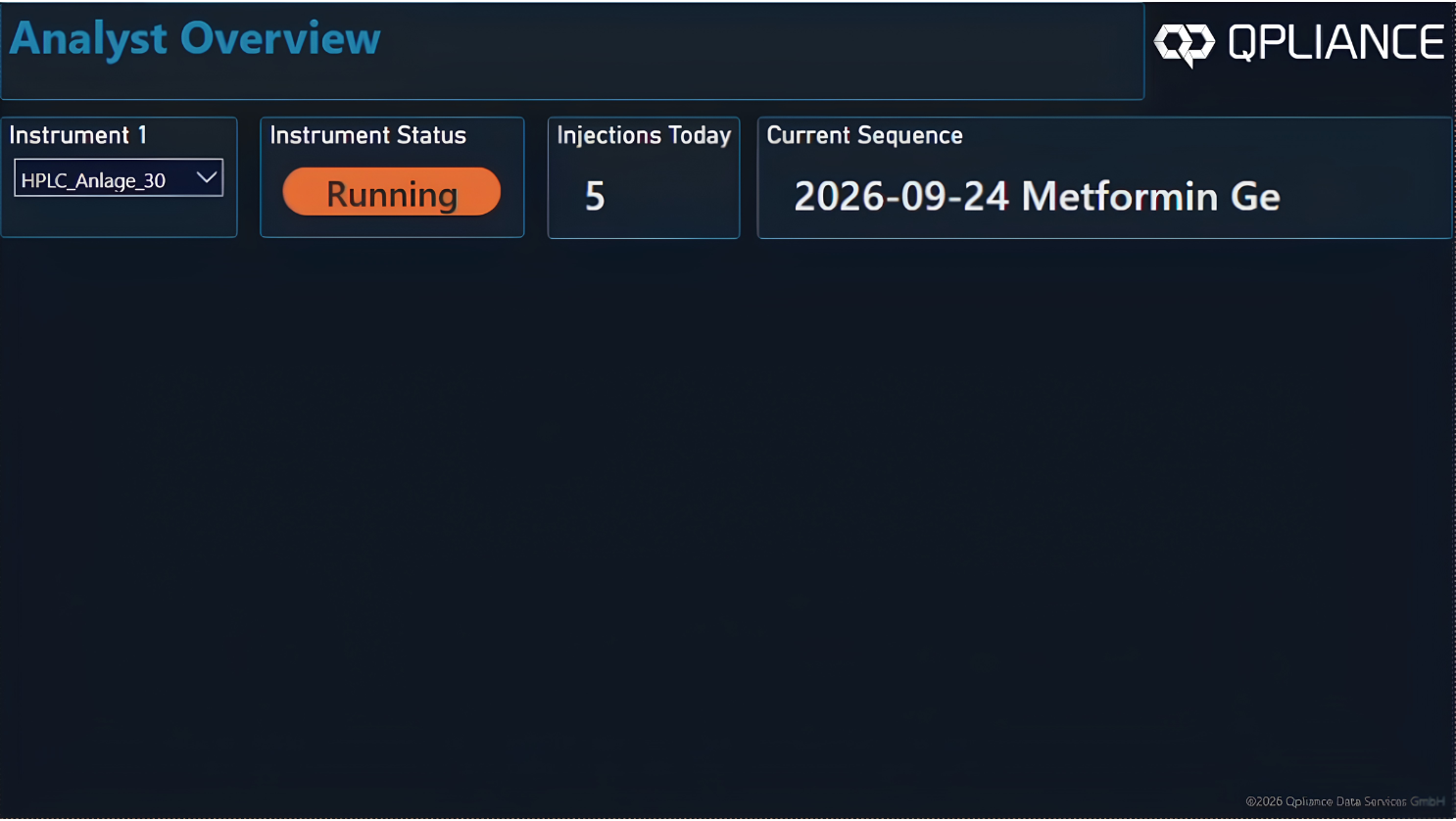
Status of selected instruments (e.g. interrupted, finished, idle) and the most recently started sequence per instrument.

Request a demo
Chromeleon™ is a trademark of Thermo Fisher Scientific Inc.